
GLP-1 Side Effect Tracker: Log Symptoms, Severity & Timing

This article is for general informational purposes only and is not a substitute for professional medical advice, diagnosis, or treatment. Always consult a qualified healthcare provider with questions about a medical condition.
Quick answer
A GLP-1 side effect tracker logs each symptom with its severity, timing vs your dose, and food link — so you spot patterns and know when the log says see a doctor.
This page is about the tool, not the medicine.
If you want to understand which side effects GLP-1 drugs cause, how long they last, and which are dangerous, read the medical explainer first: GLP-1 side effects: the complete guide.
What follows is purely the how-to of logging them well — because a symptom you record with severity, timing and food context is worth ten you half-remember at your next appointment.
A good side-effect log turns "I've been feeling off" into a clear timeline your clinician can act on.
It sits alongside your dose tracker and the broader GLP-1 tracker app hub, but it answers one specific question: what am I feeling, how badly, and when relative to my shot?
01
What to log for each side effect
The best log captures a symptom the moment it happens, in a few taps. Five fields do almost all the work:
The first three are essential.
Logged consistently, they answer the two questions that make a symptom meaningful: how severe is this compared to last week, and is it tied to my dose or my food?
02
How to rate severity consistently
A severity number is only useful if "6" means the same thing every time. Use a simple, repeatable scale:
1–3 (mild)
noticeable but you carry on normally.
4–6 (moderate)
it changes your behavior — you eat less, rest, or skip something.
7–9 (severe)
it stops your day; you can't work, eat, or keep fluids down.
10 (emergency)
unbearable or frightening — this is a "seek care now" signal, not just a log entry.
Rating the same way each time is what lets a plotter show whether your nausea is genuinely fading over the weeks or not.
03
Timing vs your dose: the pattern that matters most
The single most useful thing a side-effect log reveals is timing relative to your shot. GLP-1 gastrointestinal effects most often appear or worsen right after starting the drug or after a dose increase, then settle as your body adapts — a pattern documented in the FDA labels.
So logging "days since dose" beside each symptom lets you and your clinician see the real shape: a spike on day 1–3 that fades by day 5, worse the week of every titration step-up.
That pattern is also reassuring when it holds — predictable, dose-linked, and easing is the expected course.
A symptom that instead keeps climbing, or appears out of nowhere unrelated to timing, is exactly what the log helps you flag.
04
Food and symptom correlation
Because these drugs slow stomach emptying, what and how you eat interacts strongly with how you feel.
Logging the meal beside the symptom often exposes personal triggers — large portions, greasy or fried food, eating fast, or eating late.
Over a few weeks the pattern becomes obvious, and it's usually more actionable than the symptom alone: the fix is often a food change, not a medical one.
For the eating strategies themselves, see the GLP-1 first-month guide and the 7-day GLP-1 meal plan.

05
Spotting patterns over weeks
Individual entries are data; the value is in the trend. Reviewed over weeks, a good log shows:
Whether symptoms are easing
severity numbers trending down after each dose step.
Which dose steps were hardest
so you and your clinician can anticipate the next one.
Your personal food triggers
the meals that reliably precede a bad afternoon.
What actually helped
the actions (bland food, hydration, smaller meals) that shortened an episode.
06
When your log says "see a doctor"
A tracker's most important job is to catch the symptoms that need care, not to reassure you into waiting.
These are red flags — if your log shows any of them, contact your clinician or emergency services rather than logging and moving on.
The medical detail behind each lives in the GLP-1 side effects guide; this is the short version.
| What your log shows | Why it's a red flag | What to do |
|---|---|---|
| Severe, persistent stomach pain (may spread to the back) | Possible pancreatitis | Stop and seek urgent care |
| Can't keep fluids down; little urine; dizziness | Dehydration risk | Call your clinician; care if severe |
| Upper-right belly pain, fever, yellow skin/eyes | Gallbladder problem | Contact your clinician promptly |
| Any symptom you rated 10 / unbearable | Emergency-level | Seek care now |
A tracker never diagnoses — it surfaces the pattern early so a professional can.
07
Build a 20-second side-effect log routine
- Log the moment it starts, not hours later, while the detail is exact.
- Rate severity 1–10 using your fixed scale so numbers stay comparable.
- Tap the days since your last shot or dose step-up to anchor the timing.
- Note the meal before it so food triggers surface over time.
- Record what helped and how long it lasted, so you learn your own fixes.
- Review the trend before each clinician visit, and treat any red-flag entry as a call-your-doctor cue, not a log entry.
08
How a GLP-1 tracker app automates side-effect logging
Doing this on paper works, but a symptom log is exactly what an app makes effortless:
- One-tap symptom entry with a severity slider so logging takes seconds.
- Automatic "days since dose" because the app already knows your shot dates.
- Food-and-symptom overlay that surfaces your personal triggers.
- A clean symptom timeline you can hand to your clinician instead of a vague recap.
- Trend views that show whether each dose step's side effects are easing.
HAVIT keeps your side-effect log beside your doses, meals, weight and habits in one wellness app — so a symptom is never floating without context.
If you want your feelings, food and doses on one timeline, it is a natural home for your GLP-1 journey.

09
Why HAVIT — Medication + Behavior Change, in One App
GLP-1 medications can meaningfully reduce weight — but the number on the scale is only part of the story.
Roughly 20–40% of the weight lost on GLP-1 therapy can come from lean (muscle) tissue rather than fat (Neeland et al., Diabetes, Obesity and Metabolism, 2024), and results tend to fade once the medication stops unless new habits take their place.
That's why leading guidance treats medication as one part of care, not the whole: the U.S. Preventive Services Task Force recommends that adults with obesity be offered intensive, multicomponent behavioral interventions (USPSTF, Grade B).
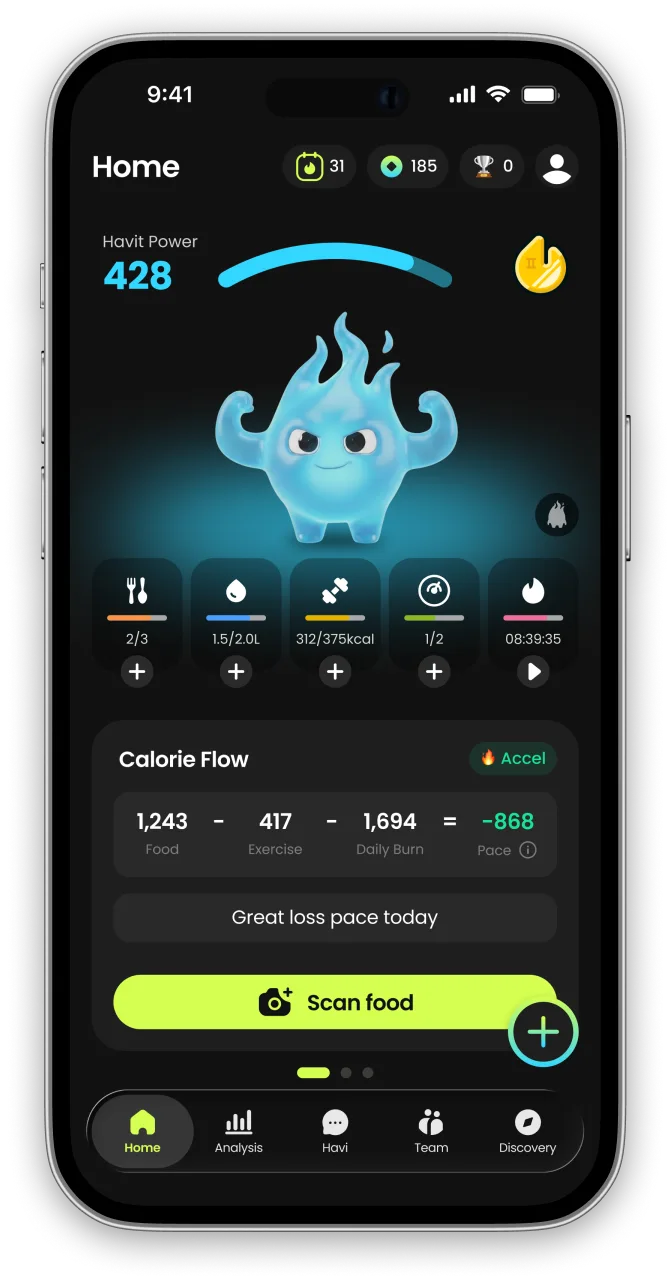
HAVIT is built for exactly this moment — one app that unites medication tracking, body composition, nutrition and protein, daily habit-building, and an AI coach that adapts to you.
Across our own 1,090 GLP-1 users, the most consistent trackers built the strongest habits (see the GLP-1 habit report).
Manage the medicine and the muscle — together. Start with HAVIT →
What to log for each side effect
| Field | Why it matters | Example |
|---|---|---|
| Symptom | Names what you're feeling so patterns can group | Nausea |
| Severity (1–10) | Turns "bad" into a trackable number you can compare week to week | 6 / 10 |
| Days since dose | GLP-1 side effects cluster right after a shot or a dose step-up | Day 2 |
| Food / meal link | Reveals triggers (greasy, large, or fast meals often worsen nausea) | Fried lunch |
| Duration & action | Shows whether it's easing and what helped | 3 h, ate bland |
Frequently asked questions
What is a GLP-1 side effect tracker?
How is this different from the GLP-1 side effects guide?
Why should I log the timing relative to my dose?
How do I rate side-effect severity consistently?
Can a side effect tracker diagnose my symptoms?
What symptoms mean I should stop logging and call a doctor?
Does logging what I eat really help with side effects?
Is an app better than a notebook for tracking side effects?
What is Havit?
Havit is an AI health companion for weight loss that protects muscle.
Unlike calorie-only trackers, Havit connects AI body-composition estimates, nutrition, hydration, sleep, steps, cycle, mood, and GLP-1 medication in one daily routine — so progress is measured by body composition, not just the number on the scale. Daily missions turn established behavior-change techniques into small repeatable actions, drawing on expertise from professionals formerly at Juvis Diet, one of Korea’s leading metabolic clinics.
In Havit’s own analysis of 1,090 GLP-1 users, people who logged consistently built stronger habits than the general user base. Read the GLP-1 Habit Report
Havit works with or without GLP-1 medication. It is a wellness app, not a medical device; body-composition results are estimates.

Continue in the App
Personalized wellness with your own data


References
- U.S. Food & Drug Administration — OZEMPIC (semaglutide) Prescribing Information (GI adverse reactions, dose-escalation pattern). accessdata.fda.gov
- U.S. Food & Drug Administration — WEGOVY (semaglutide) Prescribing Information. accessdata.fda.gov
- U.S. Food & Drug Administration — ZEPBOUND (tirzepatide) Prescribing Information. accessdata.fda.gov
- Mayo Clinic — Tirzepatide (subcutaneous route): side effects. mayoclinic.org
- Cleveland Clinic — GLP-1 Agonists: side effects and what to watch for. my.clevelandclinic.org
- All medical claims above were verified against the cited FDA labels and major clinics as of July 2026. Labels are updated periodically — confirm current details with your clinician and the official prescribing information.*


